The Bot, the Button and the Blame
AI governance needs a thorough collaboration between Legal, Complaince, Operations etc, but most importantly..Engineering
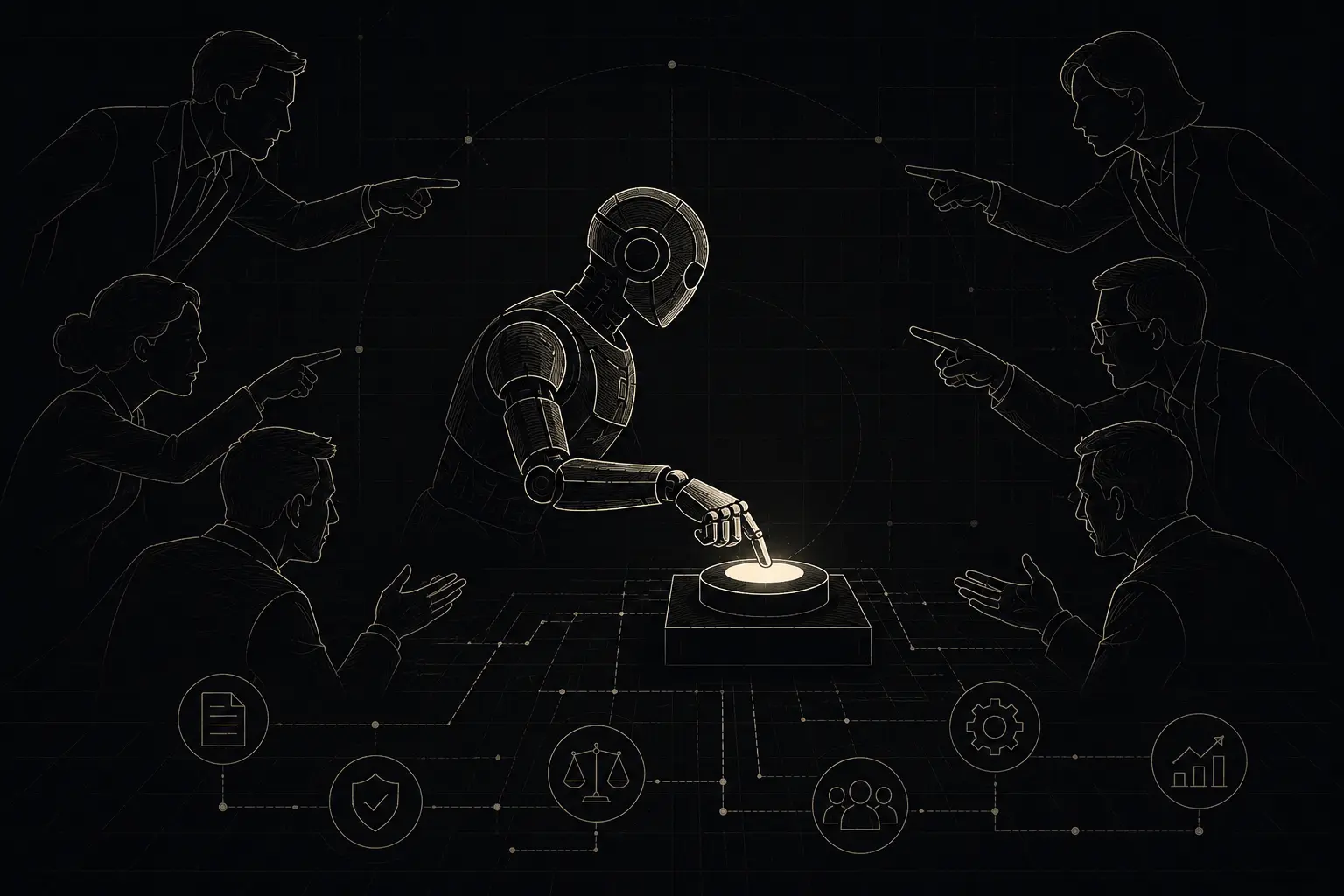
AI governance often begins with a policy document. Legal drafts it, security adds a section on data, someone from risk inserts a review matrix, and the final PDF lands in SharePoint with a reassuring file name such as AI_Governance_Policy_Final_v7.pdf.
Meanwhile, the actual AI system is being built somewhere else.
A product team is testing an OpenAI or Anthropic model. Engineering has connected it to the HRMS. Employee relations wants it to classify grievances and draft responses. Operations wants automatic routing because the current team is handling hundreds of tickets across locations. Someone asks whether low-priority complaints can be closed automatically after three reminders. The vendor says yes. The feature is switched on.
The policy may say that high-impact decisions require human oversight, but the system has no field called “high impact”. It has categories, confidence scores, queues, permissions, webhooks and buttons.
That gap is where practical AI governance begins.
The difficult part is rarely writing down the right principle. Most organisations already agree that sensitive data should be protected, decisions should be explainable, and someone should remain accountable. The harder work is translating those ideas into product behaviour.
Can the AI only suggest a grievance category, or can it change the case priority? Can it assign a complaint to the manager named in the complaint? Can it read previous grievances filed by the same employee? Can it send messages directly through email or WhatsApp? Who can reverse an action after the ticket is closed?
Those questions sound operational because they are operational. Governance becomes real only when it changes what the software can do.
The model is only one part of the problem
Teams naturally spend time selecting models. They compare cost, response quality, context limits, deployment options and latency. For an internal enterprise system, they may also compare Azure OpenAI, AWS Bedrock, Google Vertex AI or a self-hosted model.
All of this matters, but model choice can become a convenient distraction. A capable model placed inside a poorly designed workflow is still a poorly governed system.
Take an employee grievance management platform. An employee submits a complaint through a mobile app or WhatsApp bot. The system reads the text, identifies the issue, assigns a priority, suggests the right team and drafts an acknowledgement.
In a controlled pilot, this works beautifully. The examples are clear. Attendance issues look like attendance issues. Salary complaints contain salary-related words. Harassment complaints are written in formal language. The dashboard fills with correctly tagged tickets, and the demo ends before anyone asks what happens when real employees start typing.
Real complaints are rarely that tidy.
An employee may write:
My supervisor changed my shift after I complained about overtime. He told me not to report tomorrow and said I am creating problems.
A simple classifier may tag this as a shift scheduling issue because that is the most visible operational topic. The important part, however, is possible retaliation following a wage complaint.
If the system sends the case to the local site manager, it may route the complaint back into the same reporting line that created the problem. Nothing crashes. The AI response is grammatically clean. Freshdesk or Zendesk shows the ticket as successfully assigned. The workflow has done exactly what it was configured to do.
This is why accuracy alone is a weak measure of governance. A system may classify most tickets correctly and still mishandle the few that matter most.
The design needs rules around the model. Complaints mentioning retaliation, threats, wage disputes, physical safety or the reporting manager may require secondary checks before assignment. Some categories should never be closed automatically. A conflict-of-interest check should compare the people named in the grievance with the proposed owner. The employee should be able to see the category assigned to the case and request escalation when it feels wrong.
These controls are not glamorous. They are also the parts that prevent a smart feature from becoming a very efficient complaint disposal machine.
Start with the workflow people actually use
AI governance teams often start by asking departments to complete an inventory form. The spreadsheet asks for the model name, data classification, business purpose, risk score, owner and review date.
The responses are usually incomplete because most users do not think in those terms. A recruiter may say they are not using AI, then open ChatGPT to summarise interview notes. The HR team may say grievance handling is manual, even though Freshdesk is already generating suggested responses. A developer may consider a GitHub Copilot workflow too ordinary to declare. Someone in payroll may be uploading attendance files to a vendor tool that quietly uses an LLM for anomaly detection.
The useful question is simpler: show me where AI touches the work.
For grievance management, that means following one ticket from submission to closure. Look at the intake channel, classification prompt, knowledge source, routing rules, SLA calculation, suggested response, escalation logic and final closure step. Check whether data moves through Zapier, Make, n8n or a custom webhook. See which parts live in the HRMS and which parts are stored by the AI vendor.
This walkthrough usually reveals awkward details that never appear in the policy.
Perhaps the employeee enters a complaint in Hindi, but the system translates it into English before classification. The original wording is stored in one database, the translated version in another, and reviewers only see the translation. A phrase that carries threat or humiliation in the original language may become a polite sentence after translation.
Perhaps the AI response is generated using a policy document stored in SharePoint, but nobody knows whether the current policy or an older copy was indexed. Perhaps the grievance system uses employee master data from the HRMS, yet transferred employees still carry their previous manager in the integration table. The AI assigns the ticket correctly according to stale data.
These are not rare edge cases. They are normal enterprise plumbing, which is usually where software acquires its personality.
A simple inventory is still useful, but it should be built after observing the workflow. Record the business owner, technical owner, model or vendor, data sources, connected systems, actions the AI can perform and the person who can stop it. Do not spend three months designing the perfect register. A working spreadsheet with honest information is better than a governance portal full of dropdowns nobody understands.
Human review can become theatre
Most teams answer AI risk questions with the same phrase: a human remains in the loop.
That should be reassuring. Sometimes it is merely decorative.
Imagine an employee-relations executive opening a queue of 120 grievances. Each ticket contains an AI category, priority, suggested owner and drafted response. The interface offers a large green “Approve” button. Changing the category requires opening a separate screen. Reassigning the case requires a reason. Editing the response takes several more clicks.
The product technically supports human review, but it has also made agreement much easier than disagreement.
This happens in payroll too. A compliance system checks minimum wage, overtime, PF, ESIC and attendance across thousands of employee records. It generates 600 exceptions and asks a payroll executive to approve or reject each one before the client report goes out. At that volume, the reviewer is not evaluating the system. The reviewer is clearing a queue.
Good oversight starts with deciding what the human is actually expected to verify.
For a grievance ticket, the reviewer may need to confirm severity, conflict of interest, legal sensitivity, proposed owner and whether the response reveals information that should remain confidential. They should see the original complaint, not only the AI summary. They should also see why the system chose a category, including the policy or examples it relied on.
For payroll, the reviewer may need to verify disputed attendance, outdated wage notifications, unusual arrears or changes in statutory applicability. Recalculating every salary line manually defeats the purpose of the system.
Override patterns are useful signals. If employee-relations teams repeatedly change “attendance issue” to “retaliation”, the classifier is missing something important. If reviewers almost never change the AI recommendation, that may be good news. It may also mean they stopped reading/reviewing after the first week.
A practical governance review should inspect both the accuracy of the model and the behaviour of the humans around it. Software often fails socially before it fails technically.
Tools change the risk
The move from AI assistants to AI agents has made governance more concrete because agents can act through tools.
A grievance assistant that drafts a response is fairly contained. Add access to the HRMS, Freshdesk, Outlook and Microsoft Teams, and the same system can now retrieve employee records, assign cases, notify managers, create investigation meetings and update the final status.
That capability may be useful. It also needs boundaries that do not depend on the model remembering a paragraph from the system prompt.
Permissions should be narrow and explicit. Reading a ticket is different from closing it. Drafting a message is different from sending it. Suggesting an owner is different from assigning the case. Retrieving an employee’s reporting manager is different from reading their entire personnel file.
Many integrations make this harder than it sounds. OAuth scopes are often broad. A connector may provide read and write access together. A service account created for convenience may have administrator rights because nobody wanted to debug permissions during the pilot.
The pilot then becomes production. The temporary account survives longer than two product managers.
For sensitive workflows, tool access should be separated by action. The AI can prepare a change, while a deterministic service checks policy and permissions before applying it. High-impact categories can require approval. Automatic closure can be disabled for harassment, retaliation, wage disputes, safety and disciplinary matters.
The same idea works in payroll. An agent may read payroll files, attendance records and current wage tables. It can prepare a compliance report and highlight mismatches. It should not silently modify payroll records or release a client certificate because its confidence score crossed 90 percent.
Confidence scores look scientific. They are not approval authorities.
Transaction and volume limits also help. A customer-support agent may be allowed to issue small refunds while larger ones require approval. A grievance agent may send acknowledgements automatically but cannot send findings or closure messages. A payroll agent may process an entire file but can only propose changes.
Good architecture assumes that the model will occasionally make a poor choice. The system around it decides how expensive that choice becomes.
Data goes stale quietly
Many AI systems look intelligent because they can retrieve internal documents through a vector database. Policies, circulars, SOPs and manuals are split into chunks, converted into embeddings and stored in tools such as Pinecone, Qdrant, Weaviate or Elasticsearch.
The demo question works. Everyone relaxes.
Six months later, the repository contains three versions of the grievance policy. One has a newer escalation rule. Another has a revised confidentiality section. The oldest file still ranks well because its wording closely matches the employee’s complaint.
The model answers from the wrong version without knowing that anything is wrong.
Payroll systems face the same problem with state notifications, minimum-wage revisions and variable dearness allowance updates. A revised notification may arrive as a scanned PDF, a circular may have a future effective date, and a clarification may alter how the earlier rule should be applied.
A knowledge base needs more than documents. It needs ownership, effective dates, version status and a way to remove old material from active use. The system should show which source influenced the answer. Where two sources conflict, it should escalate rather than select the chunk with the highest similarity score.
This is less exciting than prompt engineering, which is probably why it receives less attention. Yet a perfectly written prompt cannot rescue stale policy data.
For grievance systems, test the retrieval layer with actual messy questions. Ask what happens when the complaint involves two issues. Ask whether regional-language complaints retrieve the same policy as English complaints. Check whether a closed policy document still appears in results. Review the answer a month after a policy update, not only on launch day.
For payroll, include arrears, mid-month joining, negative adjustments, split attendance, transferred employees and outdated wage files. The useful test set is rarely large. Twenty difficult examples taken from real operating history can expose more than a benchmark containing thousands of clean rows.
Model upgrades are production changes
Cloud AI providers improve models frequently. That is one of the reasons teams use them.
It is also a governance problem.
A model update can change classification behaviour, writing style, tool selection and refusal patterns without any application code changing. A prompt that produced stable grievance categories last month may start interpreting ambiguous language differently. An agent may become more willing to call a tool or more verbose in employee-facing responses.
Teams should pin model versions where the provider allows it. When they cannot, they should at least maintain a regression set and run it before accepting a major upgrade.
The regression set should come from real work. For grievance management, include indirect language, mixed issues, retaliation, complaints against the assigned manager, anonymity requests, regional-language text, abusive wording and cases with missing context. For payroll, include the ugly cases people usually fix in Excel five minutes before the report is due.
Run the same set when prompts, policy documents, routing rules or integrations change. Store the results somewhere visible. MLflow, Weights & Biases or even a versioned folder in GitHub can work. The tool matters less than the discipline.
Someone outside the immediate build team should review changes for high-impact workflows. Builders naturally know what the system was intended to do. Another reviewer is more likely to notice what it has started doing instead.
What I would do first
I would not begin by writing another policy. I would spend the first few days finding the AI already embedded in everyday work.
I would ask HR to show how grievances are received and routed. I would ask payroll to show where exceptions are checked. I would ask engineering for every model endpoint and service account. I would inspect vendor settings, particularly data retention and training options. I would search GitHub for model API keys, check Azure or AWS usage, and look at the automation tools connected to HR systems.
Then I would identify anything that can take action. Systems that classify, summarise or recommend still need oversight, but write access changes the urgency. Anything that can close a grievance, change an employee record, send an external message, modify payroll data or approve a report should move to the front of the queue.
The next fixes are usually small and slightly embarrassing: remove administrator access from the AI service account, disable automatic closure for sensitive cases, stop sending personal data to a public endpoint, pin the model version, add the original complaint beside the AI summary, or block a ticket from being assigned to someone named in it.
After that, choose one grievance workflow and one payroll workflow and trace them end to end. Ask ordinary users what they believe the AI is doing. Their answer will often differ from the product documentation.
Finally, run an incident exercise.
Assume the grievance system has been downgrading retaliation complaints for ten days. Can the team identify every affected ticket? Can someone pause classification without disabling the entire helpdesk? Can cases be reassessed? Who contacts the employees? Does the audit trail show why each case was routed?
Then assume the payroll agent used an outdated wage notification for three client sites. Can the team find the affected records, reproduce the calculation and issue corrected reports without rebuilding the month by hand?
These exercises tend to produce a better governance backlog than a room full of abstract discussion. They reveal whether the organisation can see, stop and repair its AI systems when the output looks normal and the underlying decision is wrong.
The goal is not preventing every failure. No serious software team promises that. The goal is to have a clear visibility around what the system can do, keep its permissions proportionate, make review possible, and ensure a person can intervene before a bad decision turns into an operating habit.